















How to Add Your Hotel Booking Link to Social Media
Share this post

A hotel booking link is the web address of your guest-facing booking engine. Add it to your Instagram profile, a suitable Facebook Page button or your eligible TikTok profile so guests can check availability and book directly. Use the booking URL, not the HTML code for a website widget, and test the link from each app before promoting it.
A guest sees your Cape Town room tour or Garden Route weekend offer. Give them a clear next step: check dates, compare rooms and complete a reservation. A working booking link connects that interest to your hotel’s direct booking process.
This guide covers the link setup and checks that matter. For content planning and audience engagement, see our guide to social media marketing for hotels.
How to get your RoomRaccoon booking link
Your hotel booking engine is where guests select dates and rooms and complete their reservation. The link opens that booking page; it does not create a separate room inventory for social media.
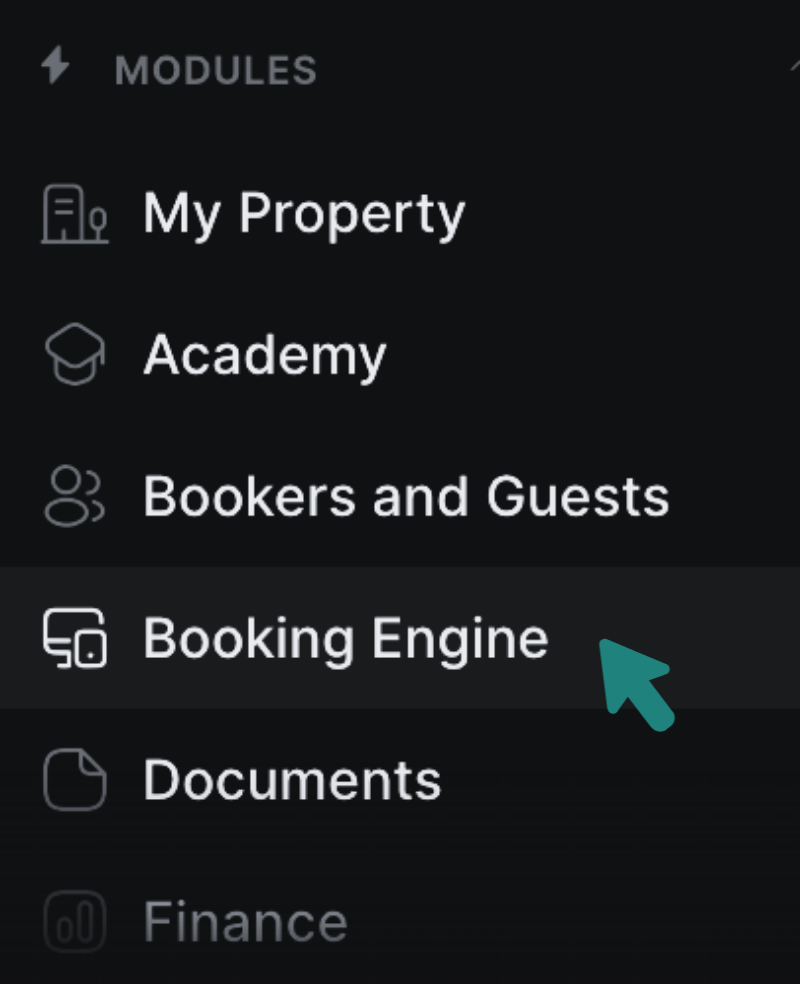
- Open the Booking Engine module in RoomRaccoon.
- Find the website widgets and open the guest-facing booking engine using the example Book button.
- Copy the booking page’s URL from your browser address bar.
- Open it in a private browser window. Confirm that it shows your property and allows a guest to search for a stay without an administrator login.
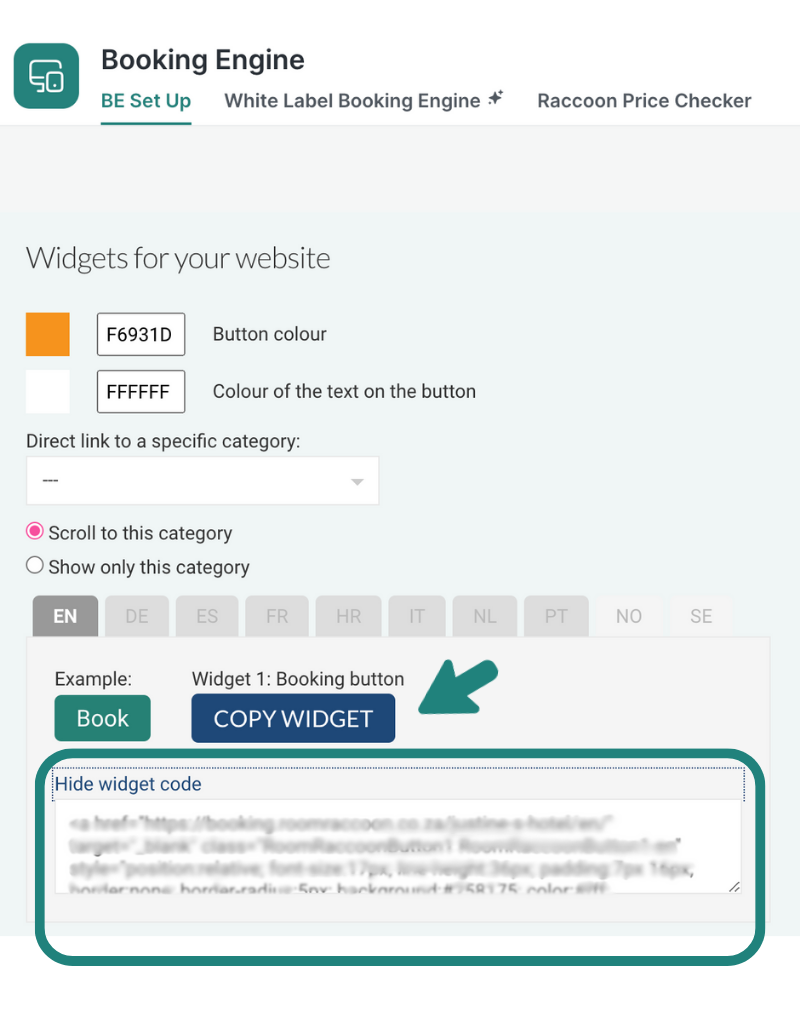
Social profile link fields need a web address beginning with HTTPS. The Copy Widget option provides code for embedding a button on a website. Pasting that code into a social profile will not create a working booking link.
The screenshots in this guide come from the original 2024 walkthrough. They illustrate the setup; menu names, layouts and account options may now differ.
How to add a hotel booking link to Instagram
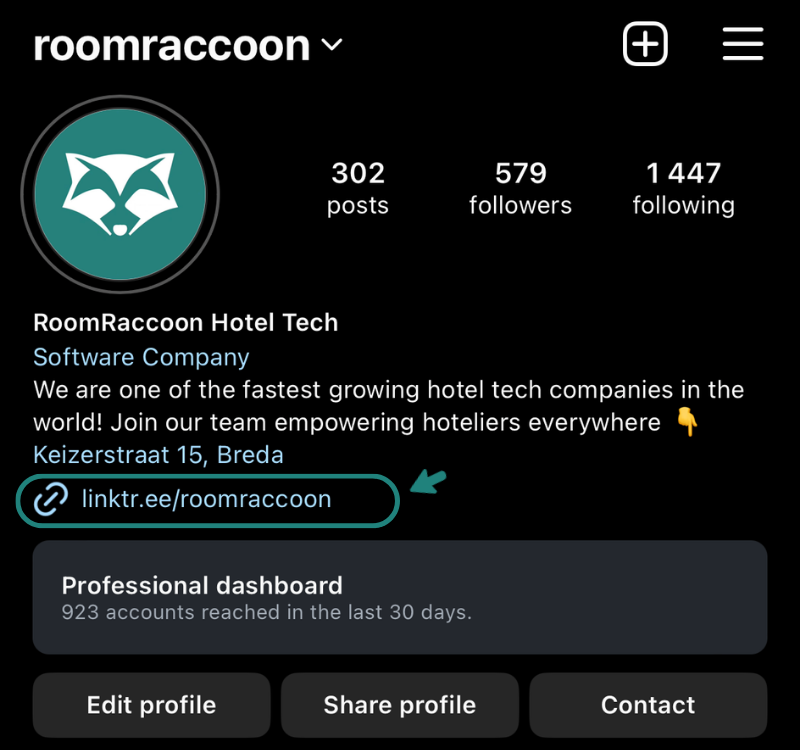
Start with a profile link that clearly tells guests where it leads.
- Open your hotel’s Instagram profile and select Edit profile.
- Open Links and choose the option to add an external link.
- Paste your booking URL and use a descriptive title, such as Check availability and book.
- Save, return to the public profile and tap the link to test it.
For a specific offer, add a link sticker to an Instagram Story and send guests to the relevant booking or offer page. A caption such as “Check weekend availability through the link in our profile” also gives viewers of a room tour a clear next step.
A profile website link is separate from Instagram’s partner-based action buttons. You do not need an appointment-booking integration simply to link to your hotel’s booking engine.
Do you need Linktree for hotel bookings?
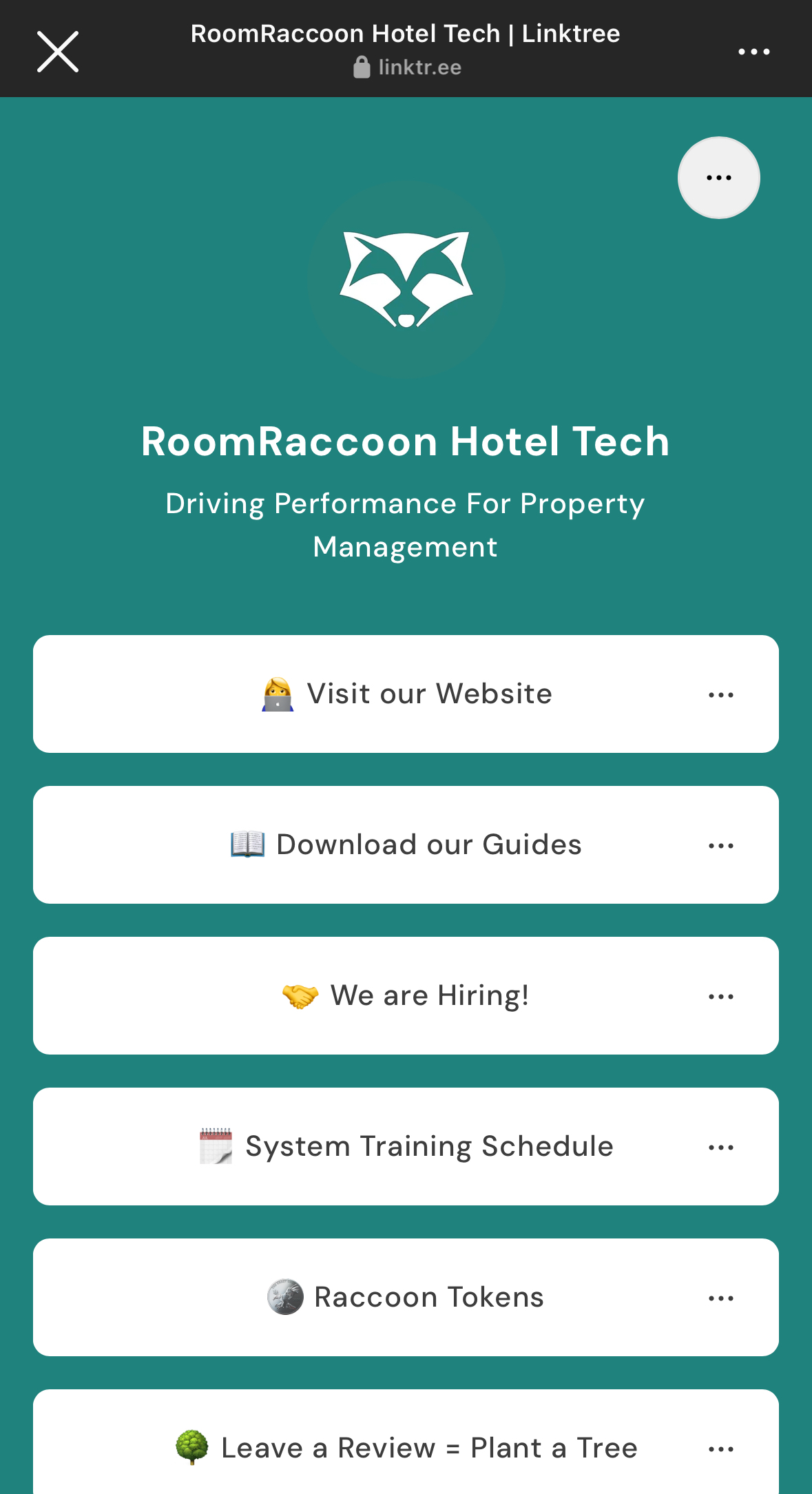
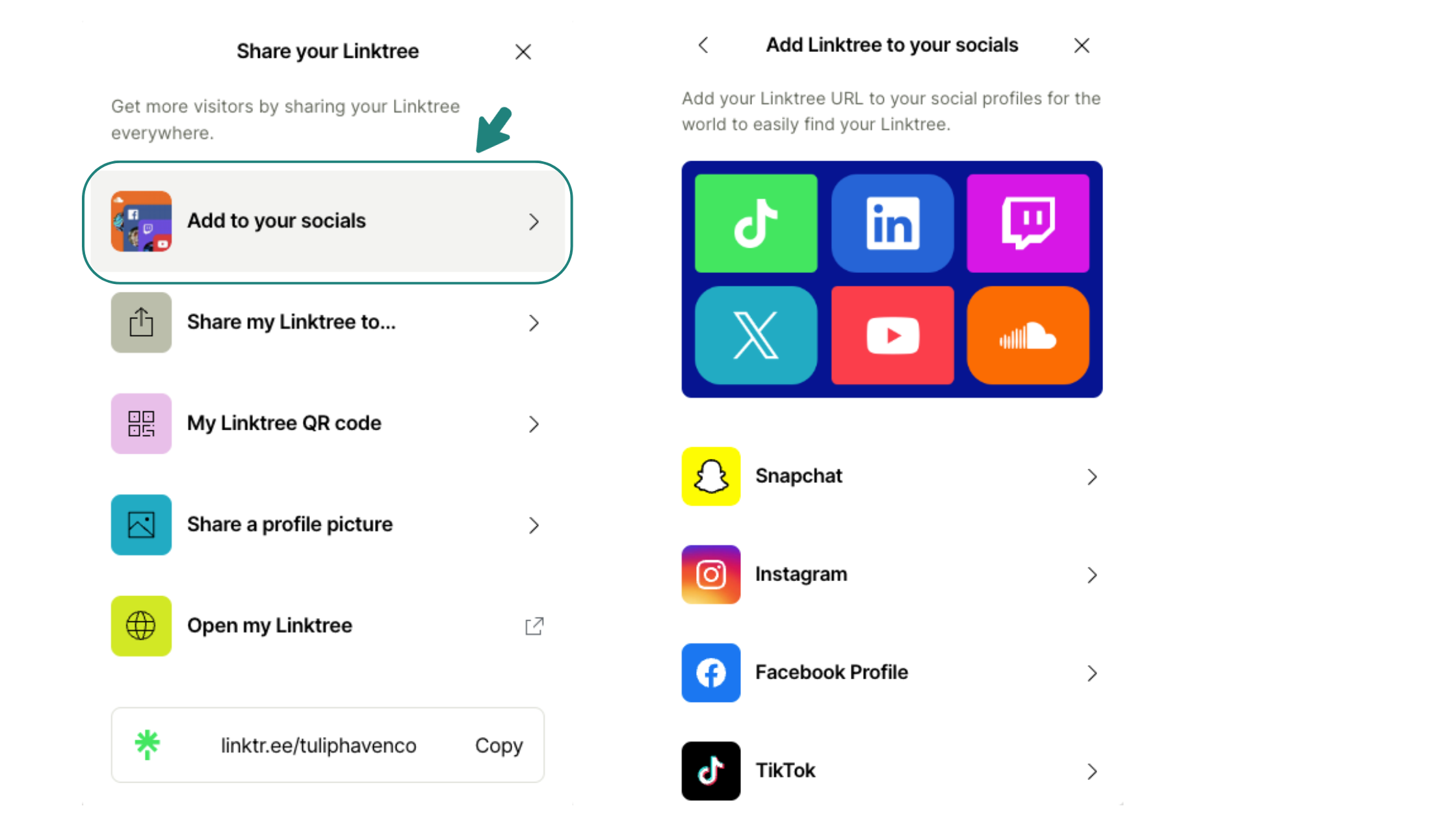
No. You can link directly from your Instagram profile to your booking engine. A link-in-bio page such as Linktree is useful when you also need to direct visitors to restaurant reservations, spa information or event enquiries.
For a hotel focused on room sales, put Book a stay first. Keep other choices relevant: every additional step should help guests find what they need.
Set up a useful link-in-bio page
- Create your page and add the hotel’s name and recognisable branding.
- Add the booking URL as the first link, followed by any genuinely useful alternatives.
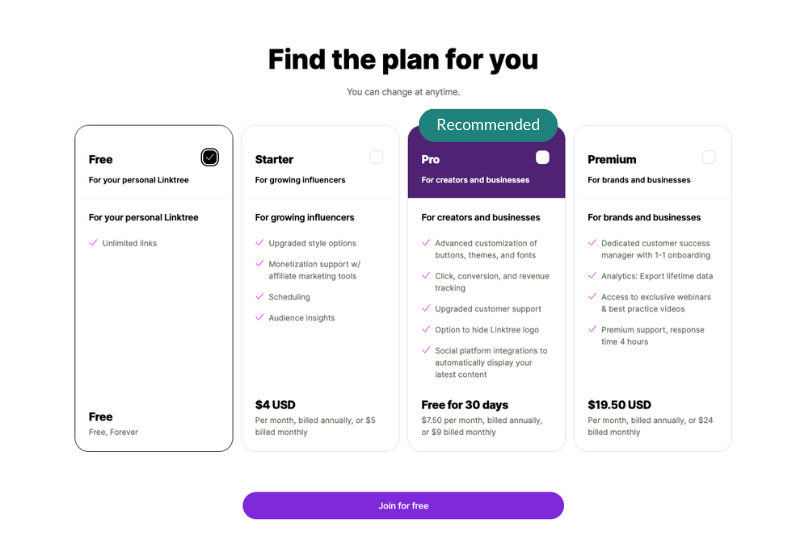
- Choose a plan based on the features you need, checking current terms and pricing.
- Copy the public Linktree page address and add it to your social profile’s link field.
- Test both clicks: from the social profile to Linktree, then from Linktree to the booking engine.
How to add a booking link to your Facebook Page
Use your hotel’s Facebook Page and an account with permission to edit it. Facebook’s available action buttons can vary, so choose an option that lets you enter an external website address.
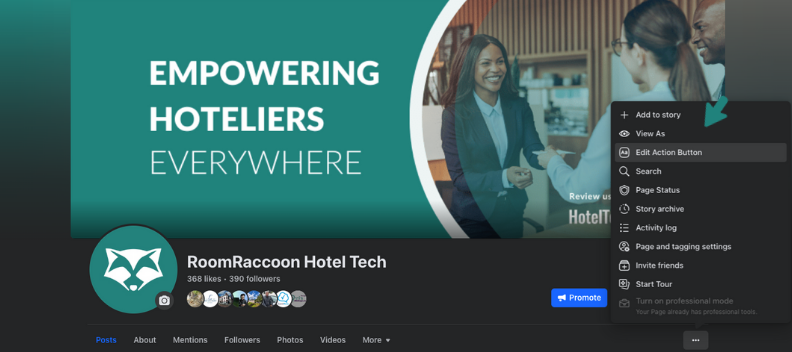
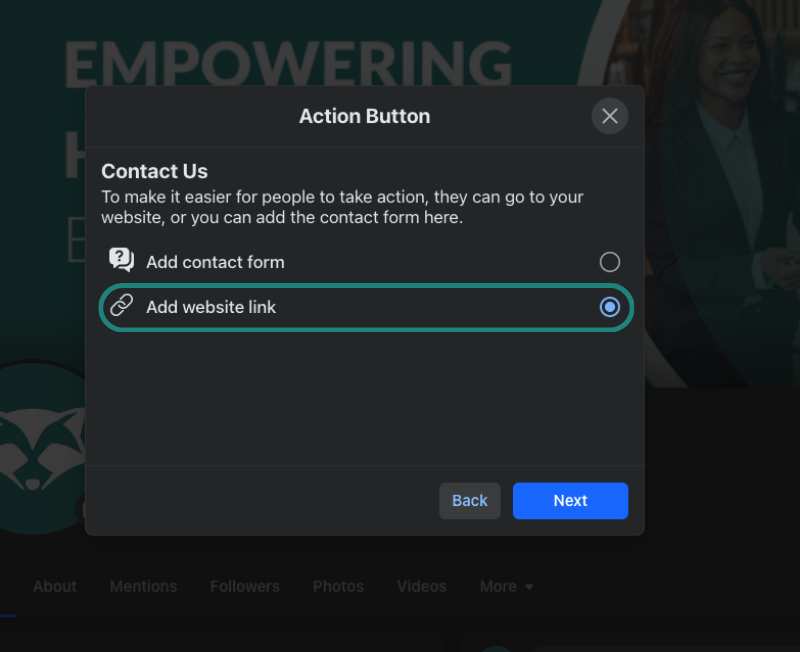
1. Open the Page’s action button settings
Switch into the Page, open its options and select Add action button or Edit action button.
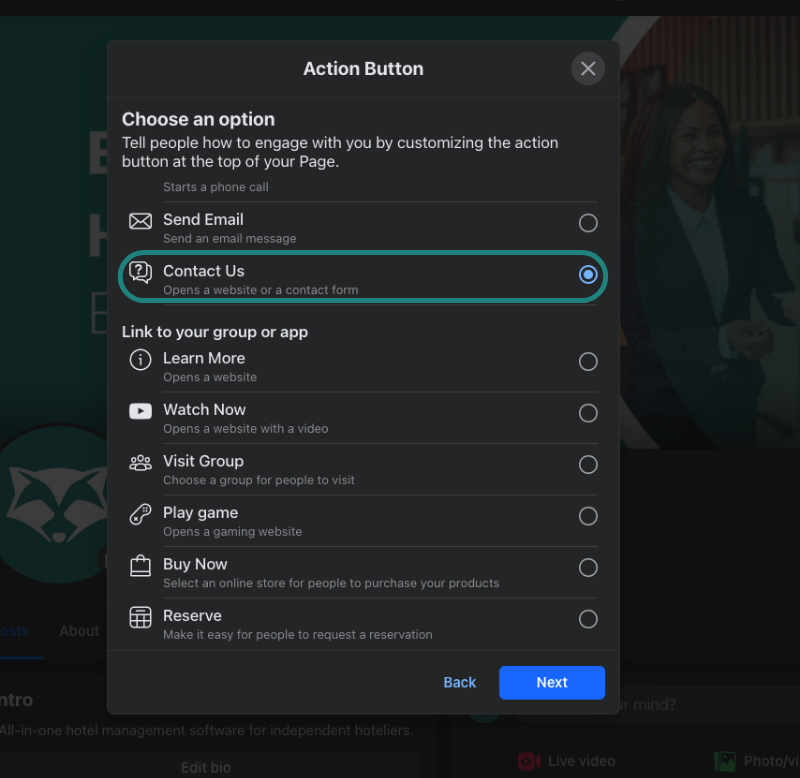
2. Choose a button that accepts your website link
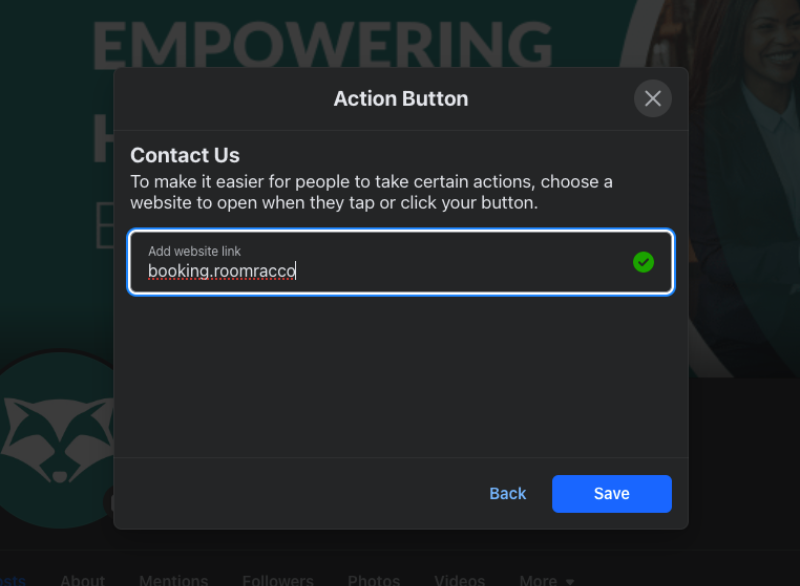
The original example uses Contact Us. If this option is available with an external link field, you can use it. If a booking button instead asks you to connect a supported service, check its requirements before proceeding.
3. Enter the booking URL and save
Choose the website-link option, paste your guest-facing booking URL and save. Check the button as a visitor. If no suitable button is available, include the booking link in a clearly labelled Page post instead.
How to add a booking link to TikTok
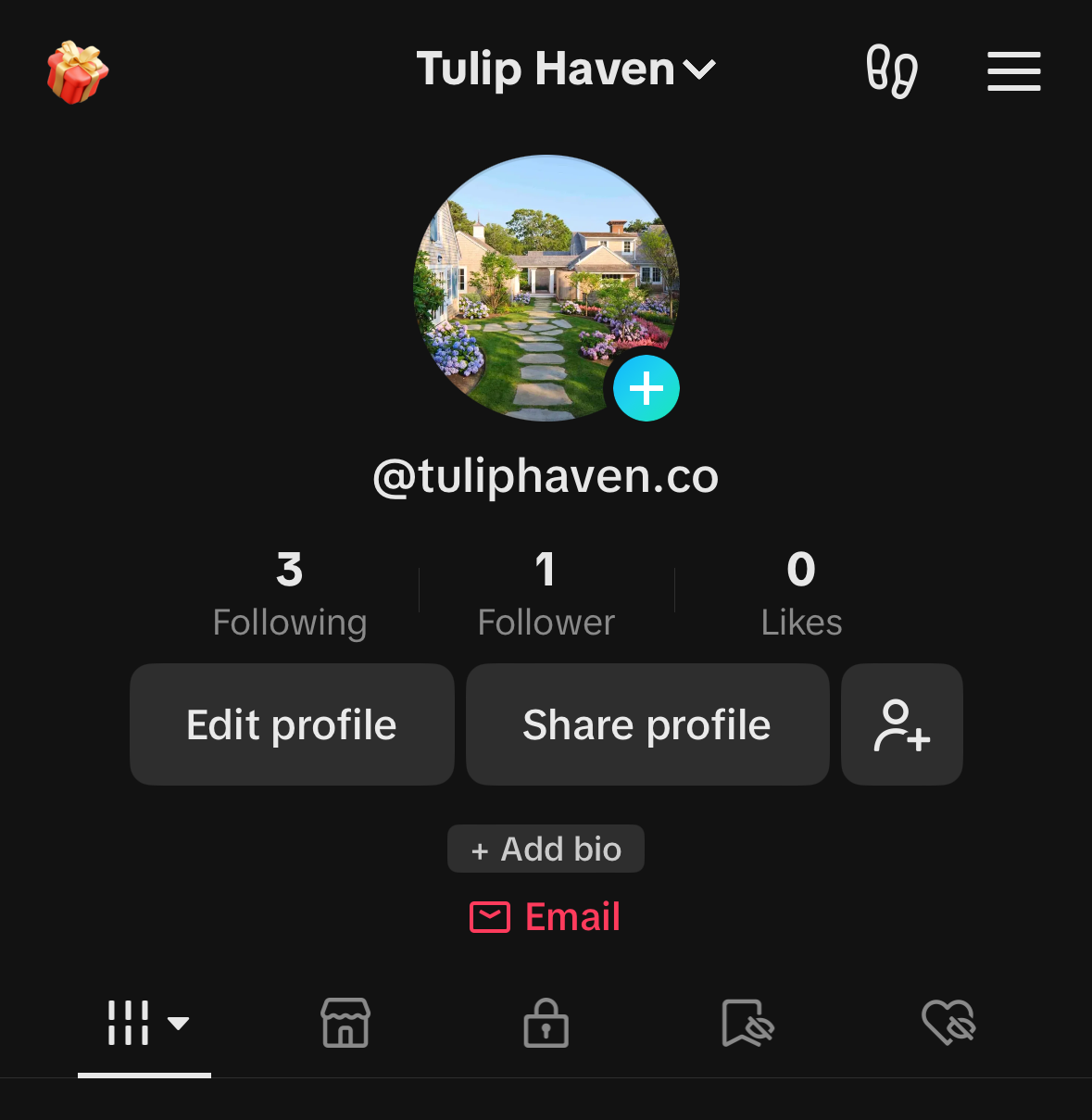
TikTok’s published guidance says you can add a website link with at least 1,000 followers or a Verified Business Account. Check the options in your account; switching account type alone does not guarantee that the website field will appear.
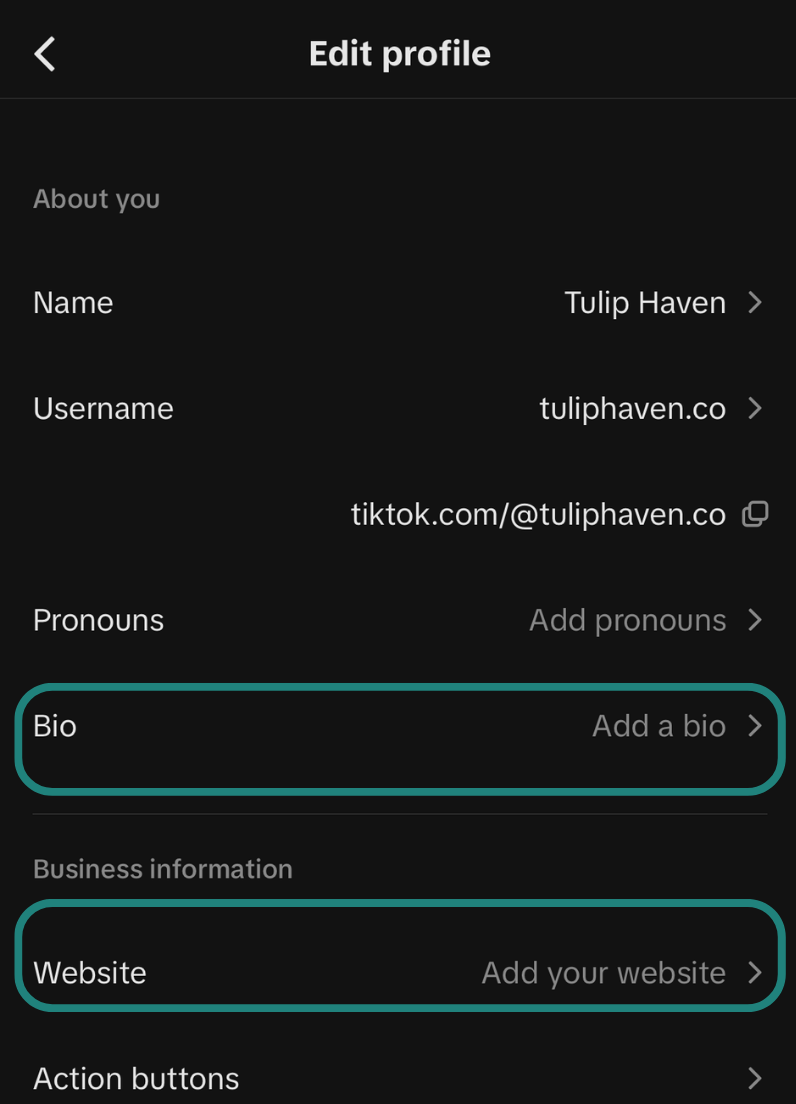
- Open your hotel’s TikTok profile and select Edit profile.
- If available, open the Website or website-link field and paste your booking URL.
- Add a clear bio message, such as “Check dates and book your stay below”.
- Save and test the published link from the TikTok app.
Do not assume that a web address typed into a video caption or ordinary bio text becomes a clickable booking link. Check the published result on the account you actually use.
Test the full guest journey before promoting your link
Open each link on a phone, including inside the social app’s browser. A page loading successfully is only the first check.
- Correct destination: does the link open your property, with the right language and currency?
- Bookable dates: can guests select available rooms for the stay you are promoting?
- Matching offer: are the advertised inclusions, dates and conditions easy to find?
- Clear total: are the price, payment requirements and cancellation terms visible before confirmation?
- Completed reservation: does an authorised test booking reach the reservation calendar and generate the expected confirmation?
If your post promotes two nights with breakfast, send guests to an offer page or booking option that explains that package. Confirm that the advertised dates are available. A generic homepage with no obvious route to the offer adds unnecessary searching.
How to measure social media booking links
Track three separate outcomes: link clicks, visits to the booking engine and completed reservations. A click shows interest; it does not prove a booking.
Use consistent UTM campaign labels on your external social links. For an Instagram weekend promotion, for example, use source instagram, medium social, campaign winelands_weekend and content profile_link. Label a Story link separately so you can compare placements.
Have your analytics setup checked across the website and booking engine, including cross-domain measurement where needed. RoomRaccoon documents booking events such as checkout starts and completed purchases, but these need to be connected and tested in your analytics configuration.
Review which campaigns generate reservations and booking value, alongside cancellations and campaign costs. Some guests return later through search or another device, so recorded social conversions will not capture every contribution.
Frequently asked questions about hotel booking links
Is a booking link the same as a Book Now button?
No. The link is the destination web address. A button is one way to display it. You can use the same booking destination behind a website button, a social profile link or a message to a guest.
Does adding a link create a native social media booking integration?
No. A standard external link takes the guest to your booking engine. It does not, by itself, connect your room inventory to an appointment or reservation service inside the social platform.
Are social media bookings commission-free?
RoomRaccoon’s booking engine supports commission-free direct reservations. Software subscriptions, payment processing, advertising and optional third-party tools may still cost money. Direct bookings are not automatically cost-free.
Why does my booking link show no availability?
Check the selected dates, guest numbers, room availability, minimum-stay rules and whether the relevant room rates are available in the booking engine. Test the original booking URL before any shortened or campaign-specific version.
Should I link to my homepage or booking engine?
Use the booking engine when the next step is to check dates and reserve. Use a relevant landing page when guests need package details first, with a clear route from that page to booking.
See your social-to-booking journey with RoomRaccoon
Bring your current social profile and a typical offer to a demo. Ask to see how a guest moves from your booking link to room selection, payment and confirmation, and how that reservation appears for your team.
Follow us


Michael


Subscribe to our newsletter for more on the latest hospitality & RoomRaccoon updates delivered straight to your inbox!


